
How to Find the Radio Clip
A step-by-step guide to replaying 「重溫961」 and finding 「加居生活 Q&A (國)」 in the Fairchild Radio app.
Download the Fairchild Radio App
Get the app from your phone’s app store. Radio clips are accessible exclusively on the Fairchild Radio app.
Open the App
Launch the Fairchild Radio app on your phone.
Go to the Home Page
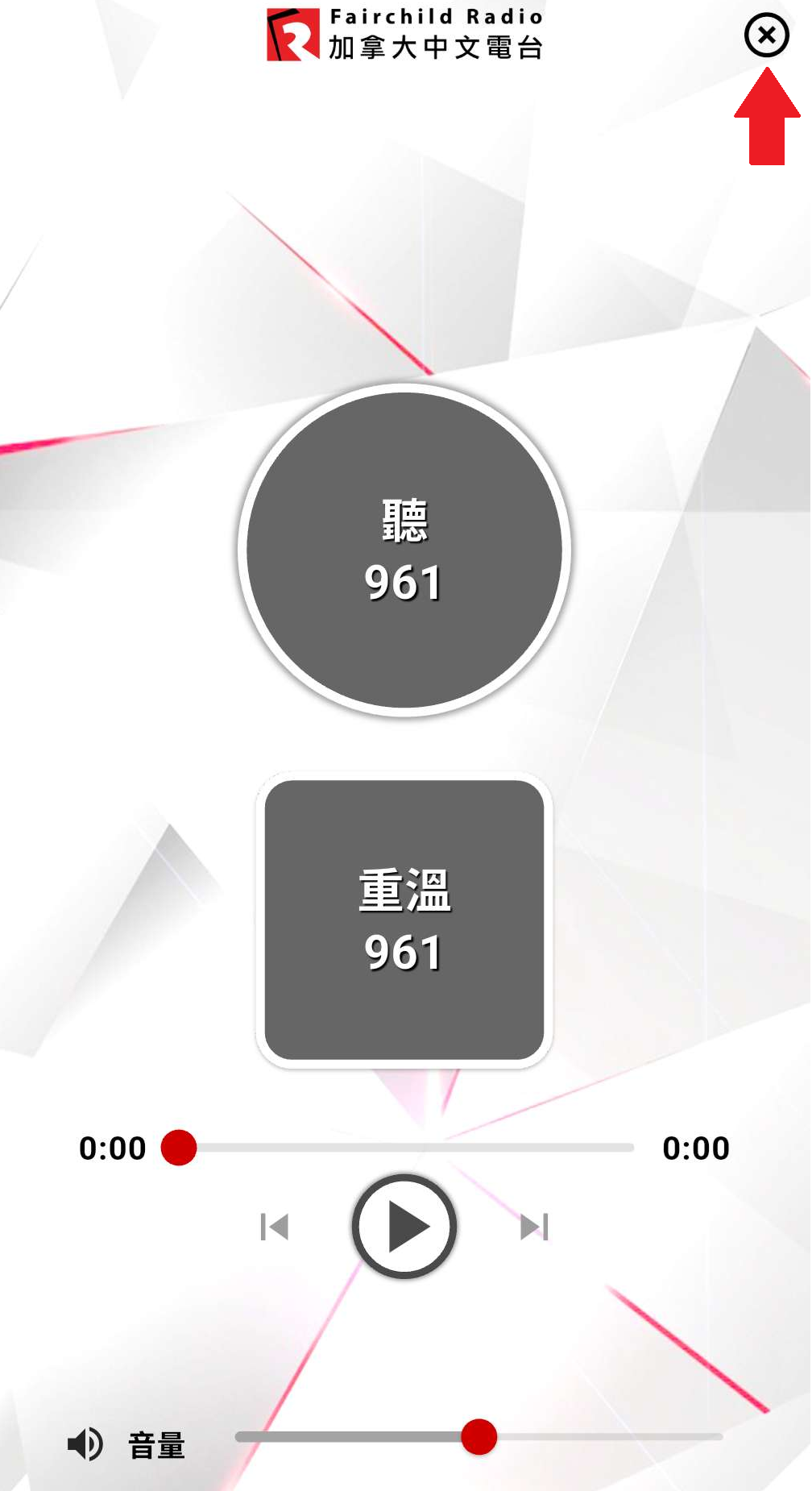
Tap the X in the top-right corner. This brings you back to the main page.
Open the Menu
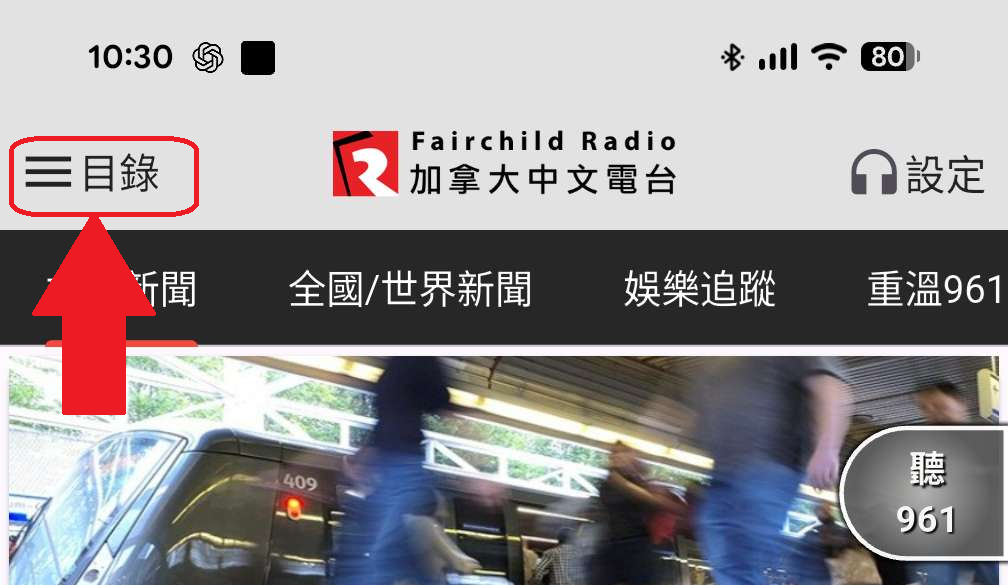
Tap Menu in the top-left corner.
Select 「重溫961」
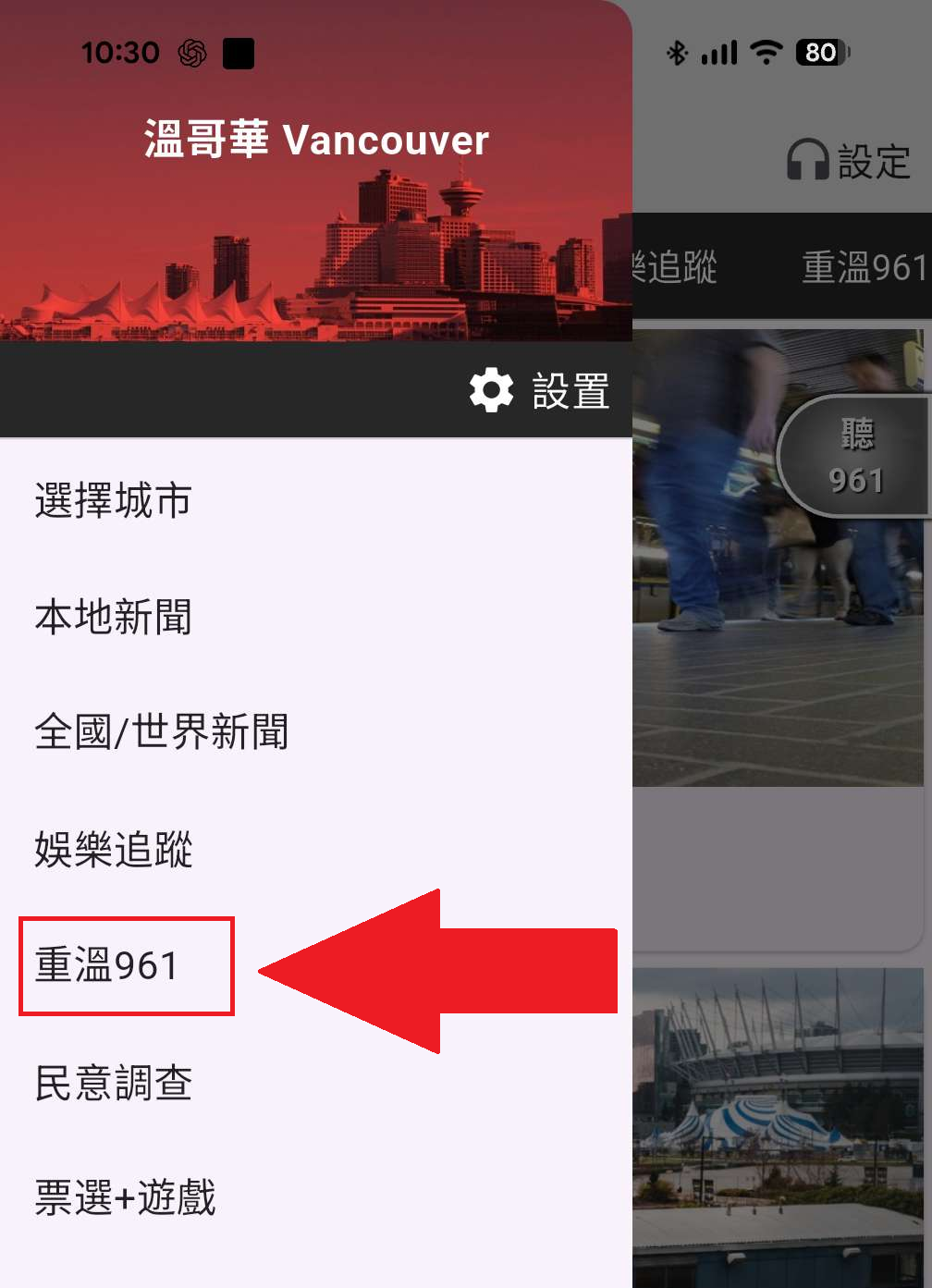
From the menu, tap 「重溫961」.
Find the Program
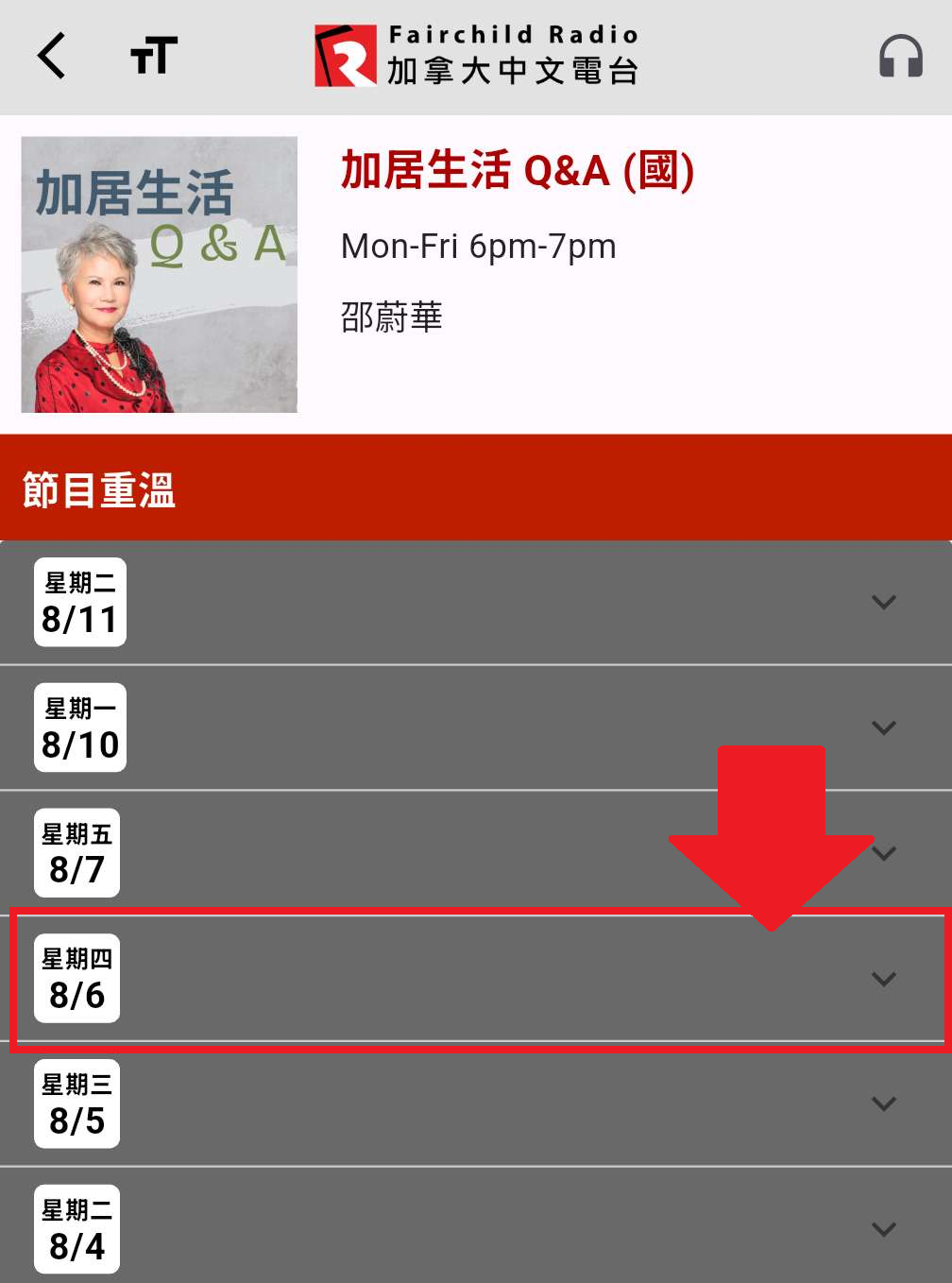
Scroll down and look for 「加居生活 Q&A (國)」. Tap the program to open it.

Find the Radio Clip
You’ll see the available broadcast dates. Select the date of the clip you’d like to listen to.
Tap a date to expand it
Then tap Part 1 or Part 2 to play it
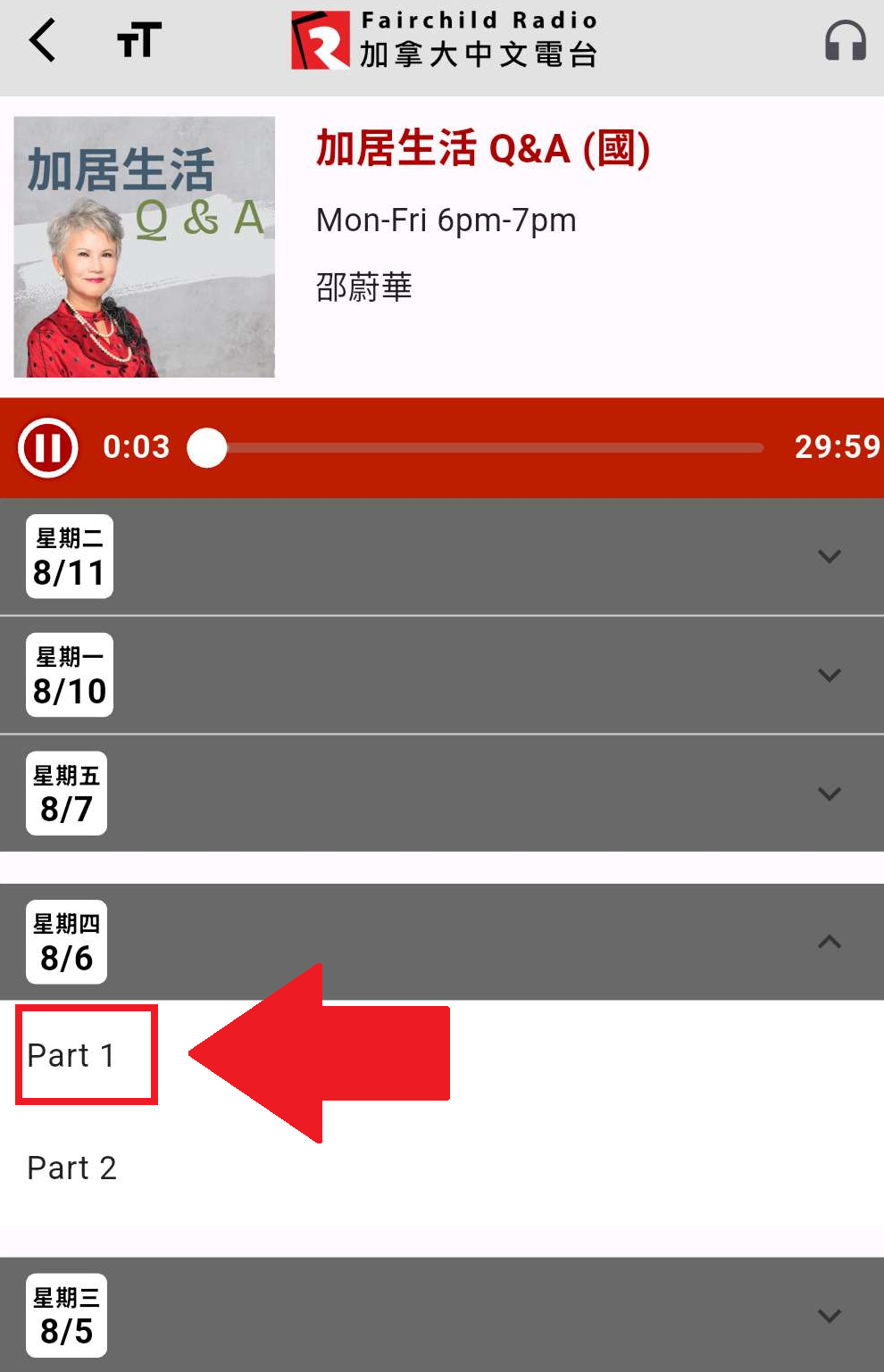
The APP only keeps radio recordings for one week
- 6/11June 11
- 6/18June 18
- 8/6August 6 — 2026 USA Tariff impact to Canada
- 8/13August 13 — Canada new OAS and GIS rules update
- 8/20August 20 — Why property tax keeps going up
- 8/27August 27
- 2/6February 6
- 2/13February 13
- 2/20February 20
- 2/27February 27
- 12/4December 4
- 12/11December 11
- 12/18December 18
- 12/25December 25
Find the Desired Part of the Audio
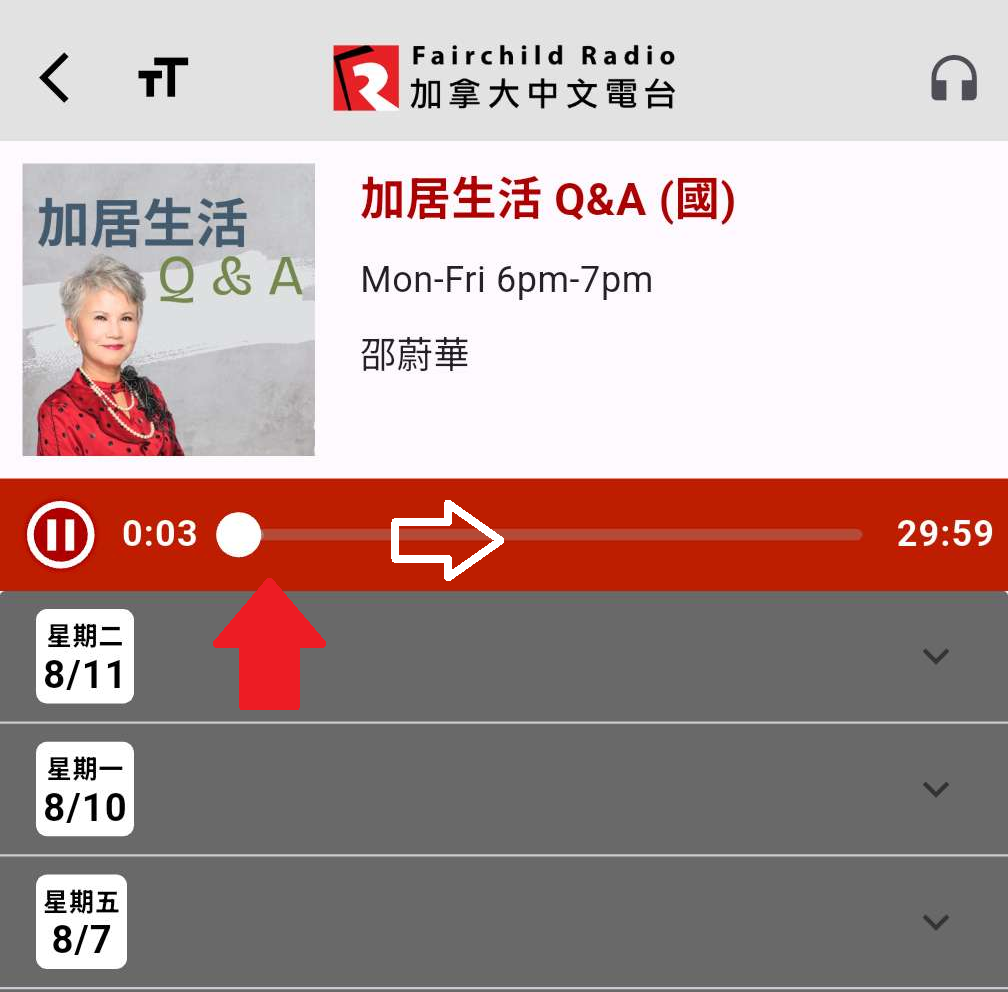
Use the playback bar at the top. Drag the white circle left or right to move to the part you want.
Having trouble finding a clip? Contact our office and we’ll be happy to help.
